

عاشق تركيا
Contributing member
- Joined
- Nov 25, 2025
- Messages
- 89
- Reaction score
- 0
- Points
- 6
 Booking a Hospital Appointment in Türkiye: From Choosing a Doctor to Confirming Your Visit
To reach booking, open the official MHRS website, or use official e‑Nabız to reach appointment options. The telephone channel for booking and appointment assistance is ALO 182. The guide below covers booking steps, Turkish button labels, confirmation, cancellation and what to try when no slots are available. Booking, confirming attendance and checking insurance cover are separate steps; completing one does not complete the others.
 Original information review: 6 October 2026; English guidance checked on 10 October 2026. Menu names and sign-in options can differ between the website and app. Follow the appointment status and instructions shown in your account.
Isparta City Hospital, illustrating a large public hospital in Türkiye.
 Which service should you use?
| Service | What it does | When to use it |
|---|---|---|
| MHRS | Books medical appointments at participating providers | To search for a hospital, specialty, doctor and available time |
| e‑Nabız | Your personal health-record portal, with access to MHRS booking | To view test results, prescriptions, previous visits and appointment options |
| e‑Devlet | Identity verification and sign-in for public services | To access MHRS through your government account where offered |
| ALO 182 | Telephone booking and appointment assistance | If you need help or cannot complete the online process |
 Before booking: residents, visitors and families
 Foreign residents: Use the foreign identity number registered with the Turkish authorities, usually the number beginning with 99 on a residence-permit document. Your name and date of birth must match the official record. If the system rejects your identity details, contact 182 or patient registration to establish why. Repeatedly creating accounts will not automatically correct the underlying record. Visitors using a passport: Do not assume that a passport number alone lets you create an MHRS account in the same way. Contact the hospital or its international patient unit, explain that you are visiting, and ask about registration, appointments, charges and required documents. Children: Check the parent's authorisation in the account. Official MHRS guidance explains that parents can book for children under 18 through “Yetkili Olduklarım” after completing the parental approval process in e‑Nabız. If the child is missing, seek official assistance rather than booking in another adult's name. Insurance: A residence permit, government account or confirmed appointment does not make the consultation free. Check SGK entitlement or your private policy's provider network and patient share before attending.
 Booking through MHRS, step by step
① Open the official MHRS website, or download MHRS Mobil from your app store and check that the publisher is Türkiye's Ministry of Health.
② Use a sign-in option shown on the official service screen. If an MHRS account option is offered, use your MHRS credentials; if you choose “e‑Devlet ile Giriş”, use your valid government account. Follow the official registration instructions for any account you need, using accurate personal details and contact methods you can access.
③ Start a hospital-appointment search. Select the province (“İl”), then the district (“İlçe”) and hospital (“Hastane”), as available.
④ Choose the specialty or outpatient clinic (“Klinik / Poliklinik”), followed by a doctor (“Hekim”) if you have a preference. Leaving the doctor selection open may reveal more alternatives.
⑤ Select a day and time, then check the patient's name, hospital, site, specialty and doctor. A hospital may have several buildings or satellite clinics at different addresses.
⑥ Complete the booking and open your appointment list to check that the appointment appears with its status. Keep the details and check whether attendance must be confirmed later. Reaching the search screen alone does not create a booking.
 Booking from e‑Nabız
Sign in to official e‑Nabız and look for “Randevu İşlemleri” or “Randevu Al”. Booking uses MHRS integration, so do not expect a separate pool of appointments. After booking, review the details in your calendar or appointment list. Your health record helps you prepare relevant reports; it does not replace checking the hospital and attendance status.

Outpatient waiting area at Isparta City Hospital. Check the clinic's name and number when you arrive.
 What to say when calling 182
Have your identity details, province, required specialty and available dates ready. These phrases may help:
 “Hastane randevusu almak istiyorum.” — I would like to book a hospital appointment. “Yabancı kimlik numaram var.” — I have a foreign identity number. “Randevumu onaylamak istiyorum.” — I would like to confirm my appointment. “Randevumu iptal etmek istiyorum.” — I would like to cancel my appointment.
If you cannot communicate in Turkish, ask what language assistance is available; do not assume that your preferred language is always supported. Never give an intermediary your e‑Devlet password or verification code to arrange an appointment.
 Confirming attendance: an important extra step
Under “Onaylı Randevu”, you may need to confirm attendance by 20:00 on the day before the appointment, Türkiye time, through MHRS, the app or 182. An appointment requiring confirmation is cancelled automatically if you do not confirm it.
 Under the published rule, appointments booked within the two days before the consultation are treated as confirmed automatically; those booked three or more days ahead require confirmation. Announced exemptions cover patients over 65 and patients with cancer. Check the actual status of your appointment. Do not look for a confirmation button that is not required, or rely on a message that may not arrive.
For example, if your consultation is at 10:00 on Thursday and confirmation is required, complete it by 20:00 on Wednesday and check that the status changes in your account.
 Cancelling or changing the time
Open the relevant appointment in your list, select “İptal Et” when cancellation is available, and check that it succeeds. You can also ask 182 for help. Do not assume a new booking automatically cancels an earlier one; review both.
The announced confirmation system sets 20:00 on the previous day as its cancellation deadline. If something prevents you attending after that, contact an official channel promptly to ask what can still be done. Confirming an appointment and then failing to attend can restrict new bookings in the same specialty for 15 days under the announced system. This does not mean exclusion from all healthcare. Avoid making unnecessary backup bookings.
 No appointments available? Try these steps
 Broaden your search to other doctors or nearby hospitals you can reach.
 Use an appointment-request or availability-notification option if your account offers one, and monitor your registered contact methods. A request does not guarantee a particular date.
 Search again later: cancellations or changes to a doctor's schedule may release slots. Do not rely on claims that every appointment opens at a single fixed time. Call 182 for assistance. All booking channels use the same appointment schedules. Momentary differences can result from bookings and cancellations, rather than a hidden allocation guaranteed by telephone. Some specialist or subspecialist clinics have referral or acceptance requirements. Ask the provider what is needed rather than choosing a vaguely similar specialty at random.
 Preparing for the visit Bring your original identity document or passport and any documents the hospital requested.
 Bring the appointment details, relevant medical reports and a list of medicines you take.
 Have your insurance information and any required prior authorisations ready.
 Check the correct address, building and clinic, and allow time to arrive. MHRS guidance recommends reaching patient registration about 15 minutes before the appointment; allow extra time for a first visit if registration takes longer.
Go to “Hasta Kayıt / Hasta Kabul” to complete registration as directed, then proceed to the clinic. A doctor's appointment does not automatically reserve a laboratory test or scan at the same time; the doctor may arrange further procedures after the consultation.
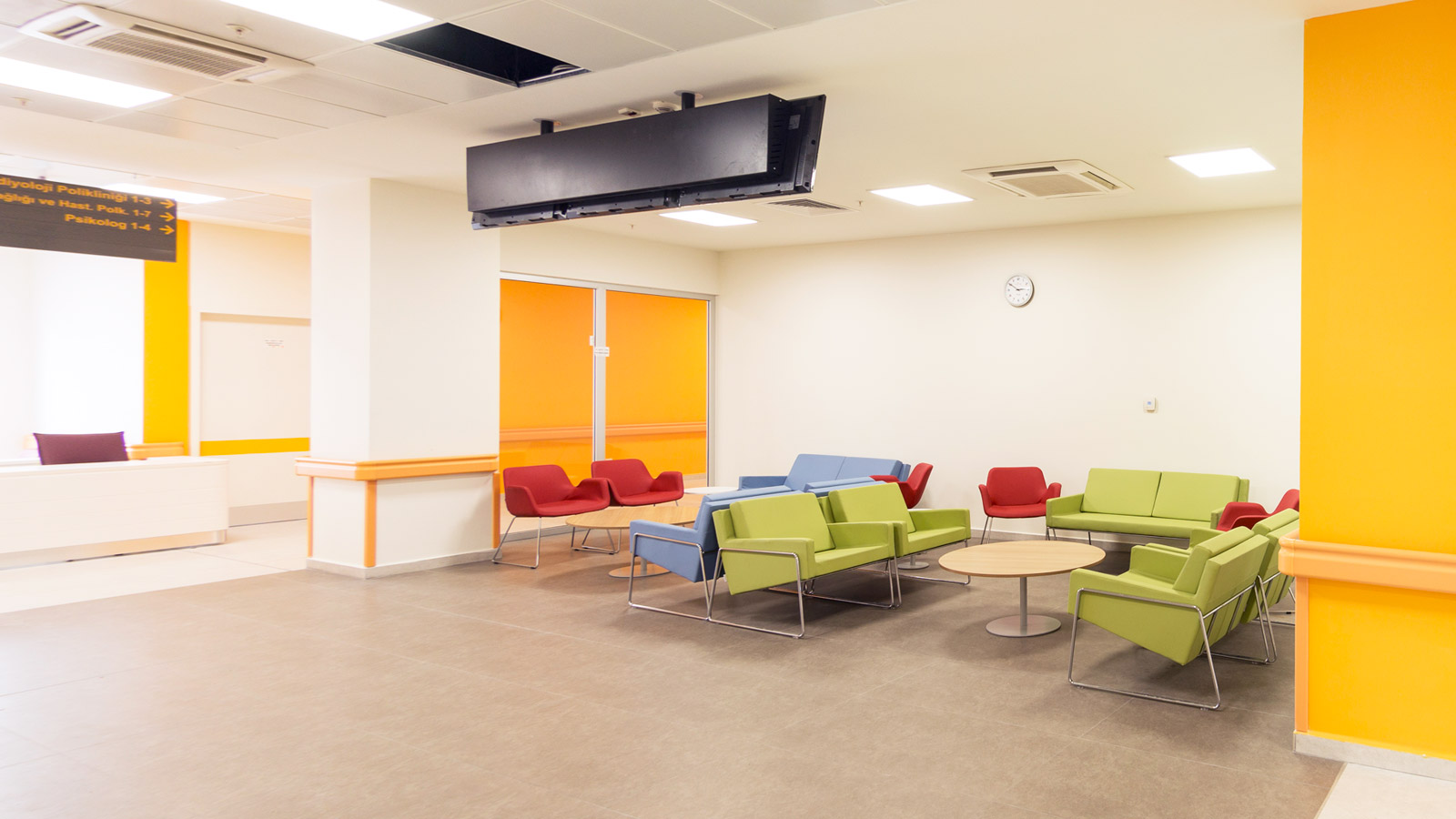
Seating near the clinics at Isparta City Hospital. Registration and waiting areas differ between hospitals.
 Frequently asked questions
Does booking through MHRS guarantee insurance cover?
No. Check entitlement or contact your insurer and the hospital. Ask about consultation, test and additional procedure charges rather than assuming a single inclusive price.
Forgotten your password, or not received a code?
Use official account recovery and check the registered phone number and email address. If the problem persists, contact MHRS support at [email protected], without sending a password or verification code. Use e‑Devlet's own official support channels for problems with that account.
Can I book for another adult from my account?
Do not assume you can. Use the patient's own account or an officially available authorisation. The identity record and booking must belong to the person attending.
Should I go to the emergency department because outpatient appointments are full?
Emergency care is for urgent medical needs, not a shortcut to a routine appointment. In a medical emergency, call 112 and do not wait for an MHRS booking.
 Before closing this page: Check that the booking is in the correct patient's name, you know the site's address, the confirmation status is clear, and you have checked insurance and registration requirements.
 Related topics


Last edited by a moderator: